

Download Adblock Plus for Internet Explorer – ad blocker, internet explorer, banner ads, pop-up ads, video ads, privacy, security, browser extension
Overview
Adblock Plus for Internet Explorer is a browser extension designed to enhance the browsing experience by eliminating intrusive online advertisements. The app targets users who frequently encounter banner ads, pop-up ads, and video ads while navigating websites through Internet Explorer. By blocking these visual distractions, it aims to streamline web content consumption, reduce page load times, and improve overall usability. The extension is particularly useful for individuals seeking a cleaner, faster, and more private browsing environment on older or legacy systems still reliant on Internet Explorer.
Developed by Adblock Plus, the extension operates as a utility tool within the browser ecosystem, aligning with broader efforts to promote user control over digital content. Its functionality supports the Acceptable Ads initiative, which allows non-intrusive advertisements that meet community-defined standards, ensuring a balance between user experience and website sustainability. This approach reflects a commitment to maintaining an open and accessible web. While the developer did not provide additional technical details about the underlying architecture or data handling, the app’s purpose remains clear: to deliver a more focused and secure browsing experience.
Real-world use cases include professionals using older corporate systems, educators accessing educational resources, and general users who prefer minimal distractions. Despite the declining use of Internet Explorer, the continued development of extensions like this highlights ongoing support for legacy platforms. The app fills a niche by offering essential privacy and performance benefits in an environment where modern ad-blocking solutions are no longer available.
Key Features & Functionality
- Automatic Ad Blocking – The extension automatically identifies and blocks banner ads, pop-up ads, and video ads across visited websites, reducing visual clutter and improving page load speed. Users can customize exceptions for trusted sites.
- Tracking and Malware Domain Blocking – When enabled, Adblock Plus can disable tracking scripts and known malware domains, helping to prevent data harvesting and reduce exposure to malicious content.
- Acceptable Ads Initiative – The app supports a community-driven framework that allows non-intrusive ads on certain websites, ensuring that ad-supported content remains accessible without compromising user experience.
- Simple Installation and Management – The extension installs with minimal user input and integrates directly into Internet Explorer’s interface. A dedicated button provides quick access to settings and blocking preferences.
- Community-Driven Updates – The development team maintains responsiveness to user-reported issues, ensuring timely fixes and continuous improvement of the extension’s filtering capabilities.
For example, a user browsing news websites may find that video ads no longer auto-play, while banner ads are removed from sidebar placements. Similarly, a user concerned about privacy can enable tracking protection to prevent third-party scripts from monitoring their behavior. The Acceptable Ads feature ensures that essential content remains available without overwhelming the user with aggressive advertisements. The extension’s ability to operate seamlessly without constant user intervention makes it ideal for both technical and non-technical users.
Interface, UX & Performance
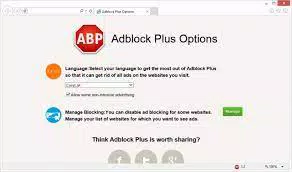
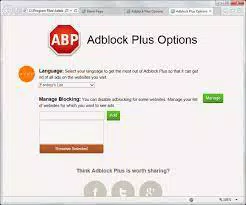
The user interface of Adblock Plus for Internet Explorer is designed to be minimal and integrated into the browser’s existing layout. A small icon appears in the browser toolbar, providing instant access to settings and filtering options. Navigation is straightforward, with a dropdown menu offering quick toggles for blocking modes, exception lists, and filter updates. The visual style remains consistent with Internet Explorer’s interface, ensuring familiarity for long-time users.
While the developer did not list formal performance metrics, the extension is reported to operate efficiently without significantly impacting browser responsiveness. It functions in the background, applying filters in real time as pages load. Stability appears to be maintained through regular updates and community feedback. However, compatibility with newer versions of Internet Explorer or system configurations was not fully disclosed.
Users on low-end devices or older operating systems may benefit from the lightweight design, as the extension’s file size is only 1.2 MB. Although no specific testing data was provided, the lightweight footprint suggests minimal resource consumption. The extension does not appear to interfere with core browsing functions, and crashes or freezes were not reported in the available documentation.
Platform Compatibility & Technical Requirements
Adblock Plus for Internet Explorer is designed to run exclusively on the Internet Explorer browser. The current version is 3.5.1, with a file size of 1.2 MB. The developer did not specify minimum OS requirements or compatibility with specific Windows versions beyond the browser platform. As such, it is unclear whether the extension supports Windows 7, 8, or 10, or if it is limited to certain editions or configurations.
Given that Internet Explorer is no longer actively developed by Microsoft, the extension’s relevance is tied to legacy environments. Users must ensure their system meets the baseline requirements for running Internet Explorer. Specific hardware or software prerequisites were not listed. The extension is distributed as a browser add-on and does not require standalone installation.
Pros and Cons
- Lightweight file size (1.2 MB) with minimal system impact
- Automatic blocking of banners, pop-ups, and video ads
- Supports privacy-focused features like tracking and malware domain blocking
- Integrated with the Acceptable Ads initiative for balanced content delivery
- Simple installation and intuitive management via browser button
- Platform limited to Internet Explorer, which is no longer supported by Microsoft
- Developer did not provide detailed system or OS requirements
- No official updates or support information beyond version 3.5.1
- May not function reliably on newer Windows configurations
- Limited availability compared to modern ad blockers on Chrome or Firefox
FAQ
Is Adblock Plus for Internet Explorer safe to install?
Yes, the extension is distributed by Adblock Plus and is designed to enhance browsing security by blocking malicious domains and intrusive ads. It is free and does not contain known malware.
Can I use Adblock Plus on other browsers?
No, this version is specifically built for Internet Explorer. Users seeking ad-blocking on Chrome, Firefox, or Edge should consider alternative extensions available on those platforms.
Does the extension slow down my browser?
Based on available information, the extension is lightweight and operates efficiently. It does not appear to significantly affect browser performance, though results may vary depending on system configuration.
How often are updates released?
The latest version is 3.5.1, released on August 10, 2023. The developer maintains a responsive community, but specific update frequency was not disclosed.
Is the extension free to use?
Yes, Adblock Plus for Internet Explorer is available at no cost. There are no in-app purchases or subscription fees.
Final Thoughts
Adblock Plus for Internet Explorer remains a valuable tool for users still relying on legacy systems or restricted environments where modern browsers are unavailable. Its ability to block intrusive ads, enhance privacy, and support sustainable web content through the Acceptable Ads initiative offers tangible benefits. While the platform’s limitations are clear—Internet Explorer is outdated and unsupported—the extension fills a critical gap for those who need reliable ad-blocking functionality on older infrastructure.
For users in enterprise, educational, or government settings still using Internet Explorer, this extension provides a practical solution to improve browsing efficiency and security. The combination of automatic filtering, community support, and a clean interface makes it a strong choice within its niche. Although the future of Internet Explorer is uncertain, Adblock Plus continues to deliver consistent value.
Download Adblock Plus for Internet Explorer now


